Ask your AI assistant about your Amazon business.
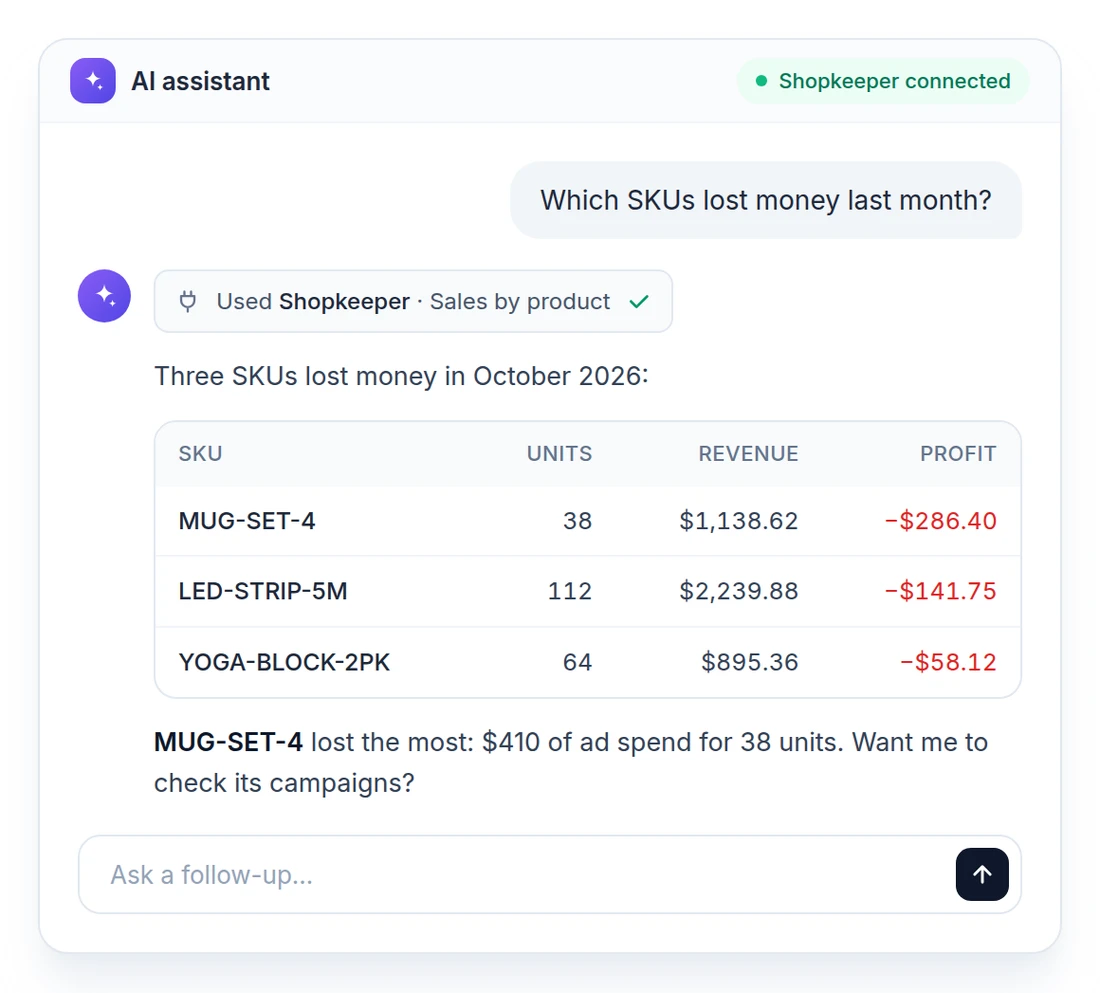
Your numbers, in the AI you already use.
Connect Shopkeeper to Claude or ChatGPT, then ask in plain English: "Which SKUs lost money last month?" The answer comes from your live Shopkeeper numbers, the same ones you see on your dashboard and P&L.
Sales, profit, orders, inventory and ad spend. One question away.
No exports and no copy and paste. Your assistant reads Shopkeeper directly, and it only reads.
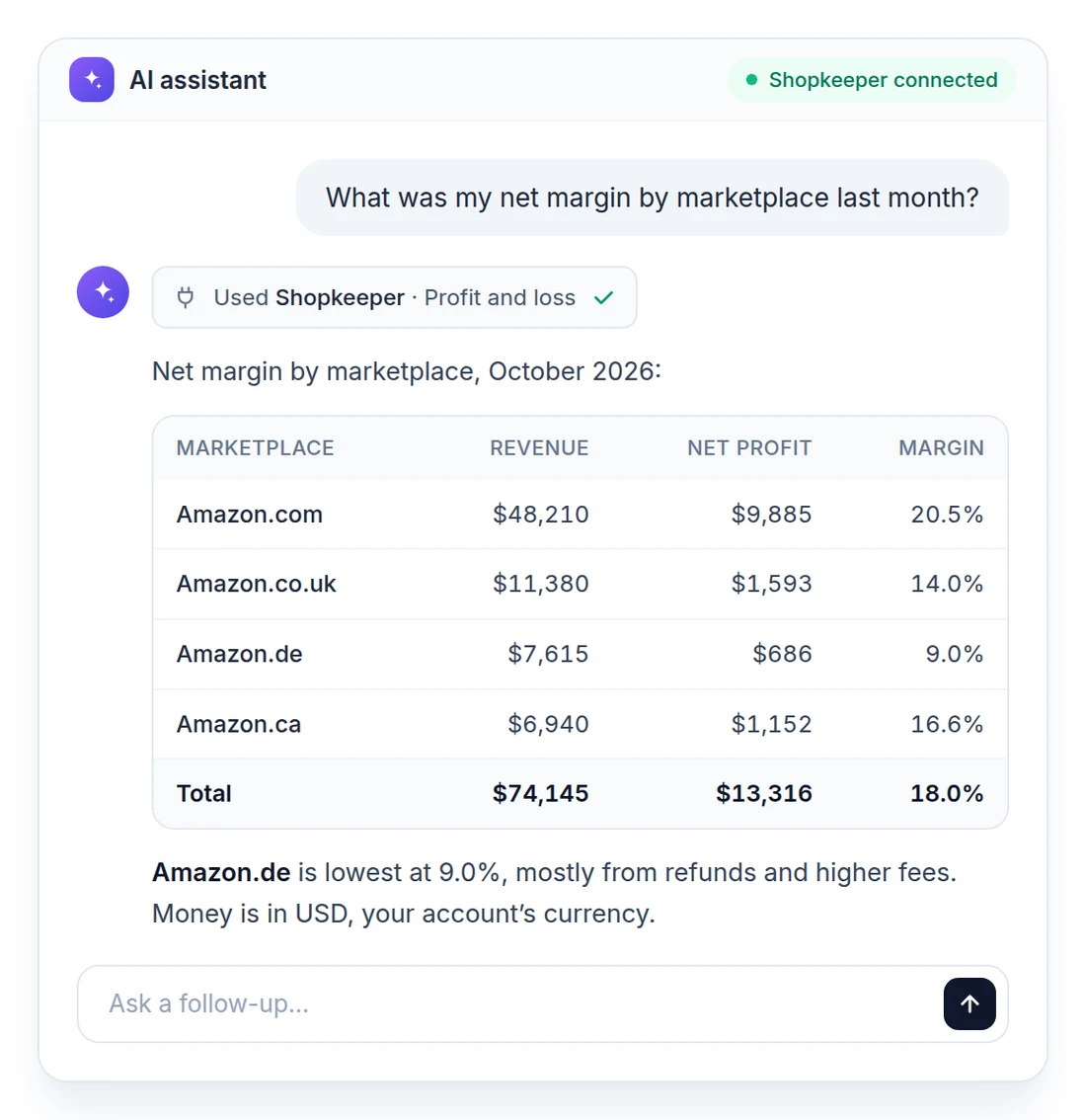
Profit by marketplace, in seconds.
Ask for your net margin by marketplace, by SKU or by month. Your assistant reads the same P&L you see in Shopkeeper, in your account's currency.
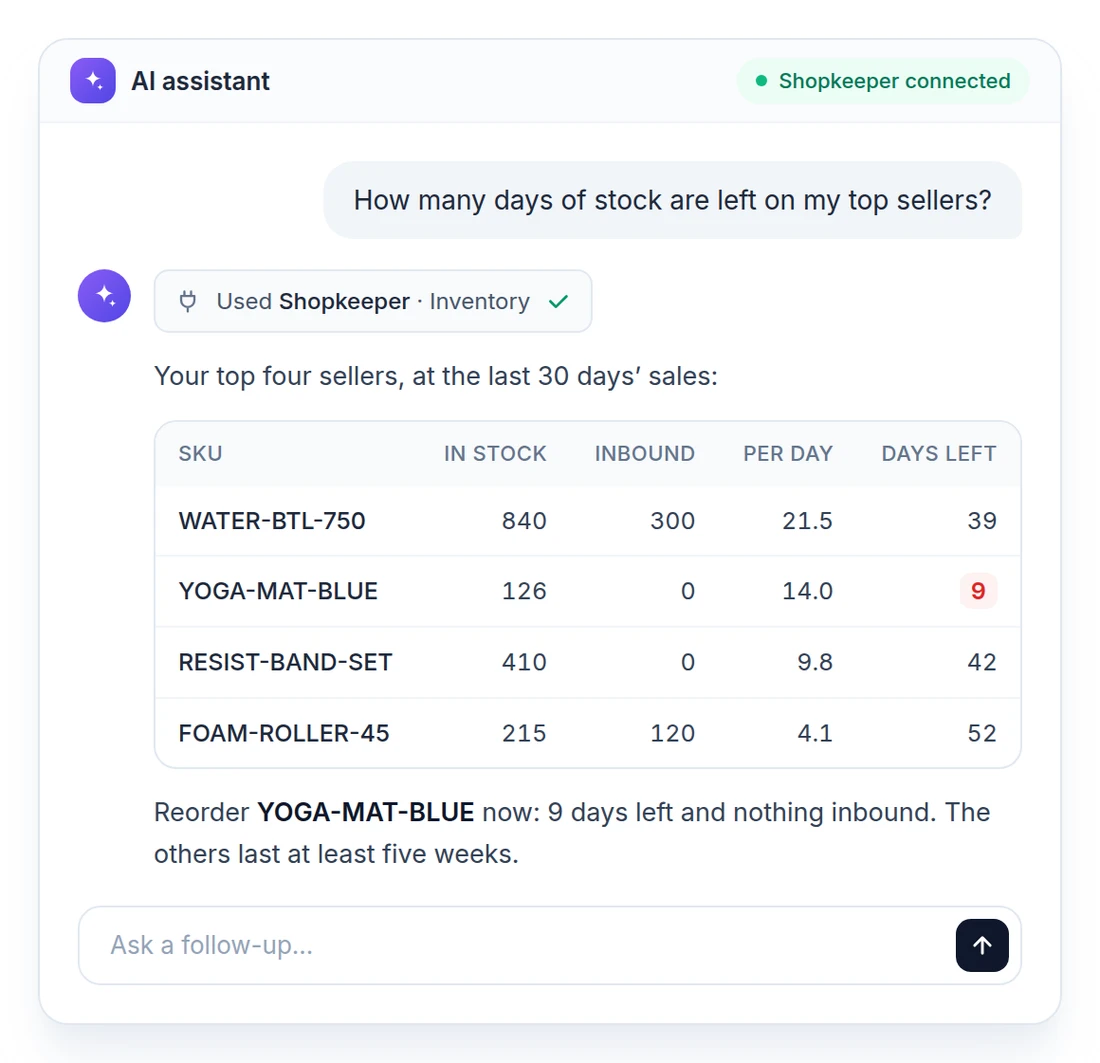
Stock and ads, too.
How many days of stock are left on your top sellers? Which campaigns had an ACoS over 40% last week? Ask, and plan your next order or bid change from the answer.
You stay in control.
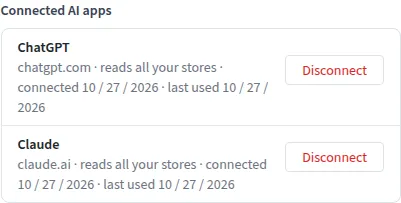
AI apps can read your data but never change it. When a number looks wrong, your assistant can send the details to Shopkeeper support, but only after you say OK. The API & MCP page lists every connected app and when it was last used. Disconnect any of them with one click.
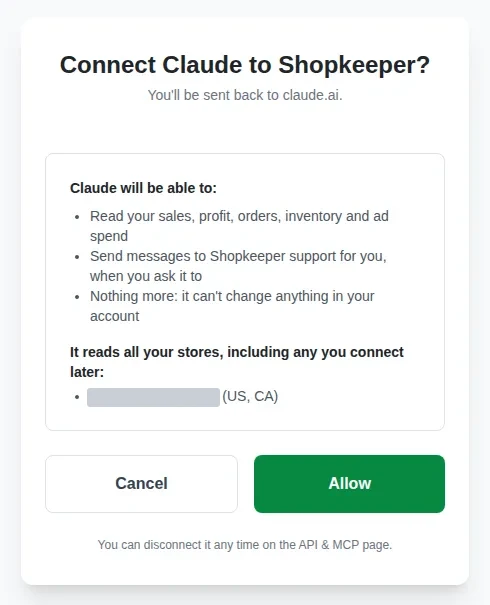
Connect in a minute.
Paste https://shopkeeper.com/mcp into Claude or ChatGPT, sign in to Shopkeeper and click Allow. It reads all your stores. New to Shopkeeper? Create a free account right there.
Free during the beta.
Find API & MCP in the Shopkeeper menu. Step by step: connect Claude or ChatGPT to Shopkeeper. Prefer your own tools? See the Shopkeeper API.
No credit card required.